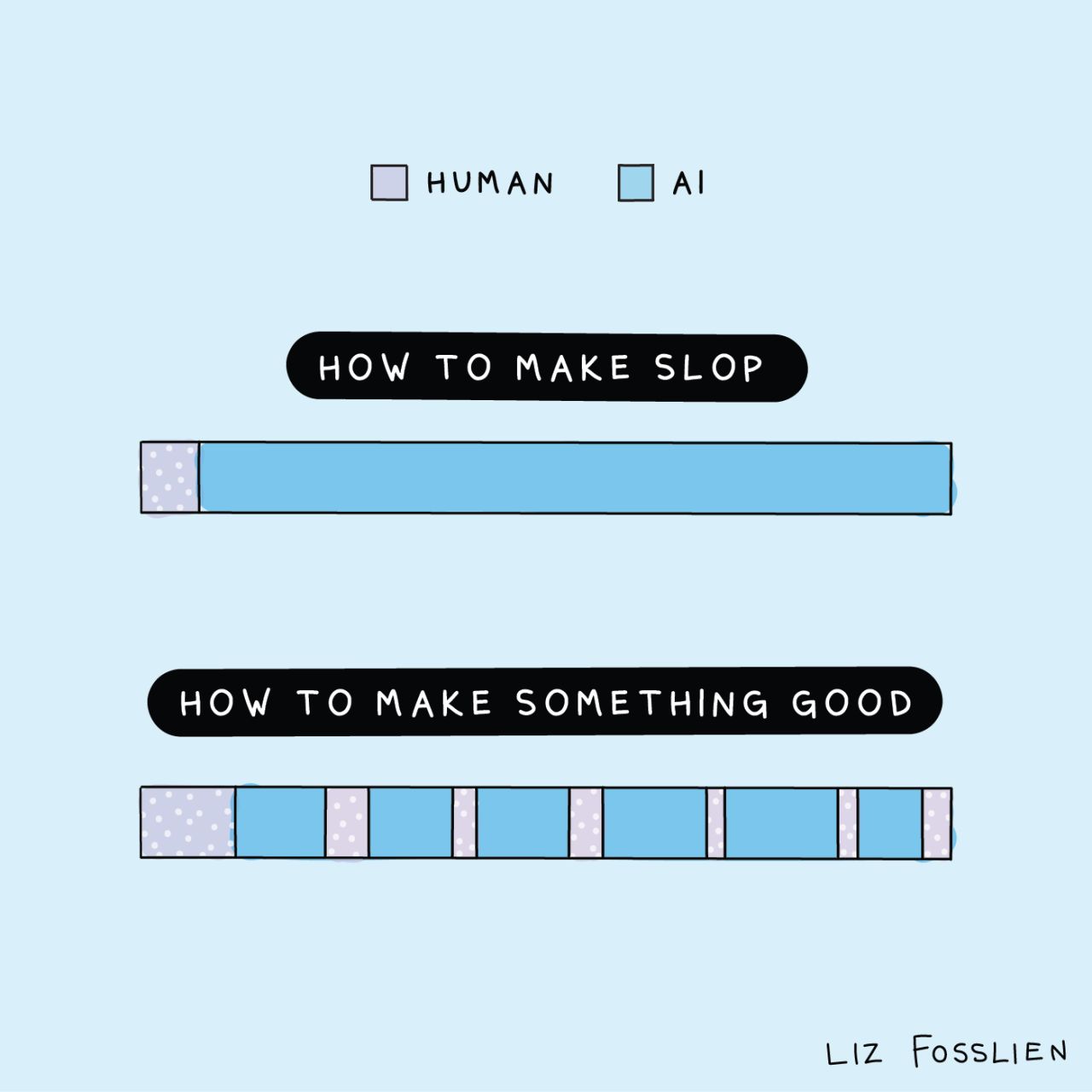
AI can only be as good as the context and direction you give it. Part 1 teaches the fundamental techniques — the same moves a great manager uses to get great work out of a smart new hire. Part 2 shows how those techniques combine to solve a real strategic problem.
Illustration by Liz Fosslien
Before you start
When in doubt, ask the AI for help
Throughout the workshop, things will come up — an error you don't understand, a technique you want to apply somewhere else, or just "what do I do next?" The move is always the same: ask the AI. We'll come back to this over and over. It takes a while to internalize, but it's the skill that helps you most as you keep learning.
You can also shape how it explains things. Try adding "assume I'm smart but not technical" or "assume I'm smart but I've never done this before."
When you don't know how to get started
Paste into Claude
I'm trying to [describe what you want to do]. Walk me through the simplest way to accomplish this and be very clear about what I have to do and what you can help me with. Assume I'm smart but not technical and have never done this before. Also, if anything I'm doing is risky, please call that out and help me calibrate the level of risk and whether I need to be concerned.
When you're stuck or hitting an error
Screenshot what you're looking at, then paste the prompt below.
Paste into Claude with your screenshot
I'm attaching a screenshot of what I'm looking at. Can you help me with this? First, is there anything you can do to resolve it yourself? If not, tell me exactly what I need to do. Assume I'm smart but not technical and have never done this before. Also, if anything I'm doing is risky, please call that out and help me calibrate the level of risk and whether I need to be concerned.
Before you ask AI to produce work, ask it to define what world-class looks like. You'll write a CEO update with and without this step — the difference is immediate.
In each tab, click the model selector and choose Claude Opus.
Paste the "before" prompt in Tab 1 and the "after" prompt in Tab 2. Don't read Tab 1's output yet — switch to Tab 2 first.
After Tab 2's follow-up, switch back to Tab 1 and compare the two updates side by side.
Before · Tab 1
Paste and hit Enter
I'm a VP of Marketing and I send a weekly status update to my CEO every Friday. Write me a hypothetical example of this status update. Do not create an artifact.
After · Tab 2
Paste and hit Enter
I'm a VP of Marketing and I send a weekly status update to my CEO every Friday. Before you write anything - what does a CEO actually need from a weekly update? What are they scanning for, what makes them stop reading, and what's the difference between an update that gets skimmed and one that changes how they think about your team? Be specific.
Read what it gives you, then paste this follow-up:
Follow up
Now write a hypothetical status update based on what we just discussed. Do not create an artifact.
What to notice
The second version is better because you aligned on what good looks like before the work started. This is a simple technique that can radically improve quality.
Why was the second version better?
Because you forced the model to define "good" before producing work. Without that, the model has nothing specific to anchor on — so it draws from the broadest patterns in its training data, which produces output that feels generic. When you make it articulate quality criteria first, every word it writes next is shaped by those criteria.
Key takeaway
Asking AI to set success criteria before it works can radically improve the quality of the output.
2
The power of context
Much like a new hire, AI can only be as good as the context it has about you and the work. Here's a two-minute exercise to see the difference.
Try it
Open claude.ai in two tabs. Select Claude Opus in each.
Paste the "before" prompt in Tab 1. Don't read the output — switch to Tab 2.
Paste the "after" prompt in Tab 2.
Switch back to Tab 1. Read both responses side by side.
Before · Tab 1
Paste and hit Enter
I'm a VP of Marketing and I need to set annual goals for my team. Propose three different goals I could set and recommend which one to go with. Don't ask me any questions.
After · Tab 2
Paste and hit Enter
I'm a VP of Marketing and I need to set annual goals for my team. Propose three different goals I could set and recommend which one to go with. Don't ask me any questions.
Here's context that should inform your thinking:
- Last year we set a goal around increasing qualified pipeline by 20%. The team ended up over-indexing on enterprise campaigns because those deals had higher ACV, and we neglected the self-serve funnel, which is where most of our growth comes from.
- The company's top-level goal this year is to increase annual recurring revenue from $40M to $55M.
- My team is 12 people across 3 functions: demand gen, brand & content, and a new product marketing team that's only been running for 4 months.
What to notice
The second one is better because you gave it context. Any time you're working with AI, ask yourself: what does it need to know to do this well? And how can I get it this information in the most efficient way possible?
Tip · Let AI pull context out of you
Coming up with the right context from scratch is hard. Instead, ask Claude to ask you questions first. It knows what it needs to do the job well — so let it tell you.
Add this to the start of any task
Before you start, ask me 3-5 questions that will help you do this well. Wait for my answers before you begin.
Why did context change the output so much?
Think of the AI as someone who has read almost everything ever written, but has no idea who you are. Without context, it pulls from the entire distribution of possible answers. With context, you narrow that distribution dramatically — the model can weigh your specific constraints, history, and goals instead of guessing at them.
Key takeaway
Context results in better results. The challenge is identifying the context that will be most helpful.
3
Break the work into steps
Don't ask AI to do a big task in one shot. Have it break the work into steps, then walk through them one at a time — reviewing after each. You catch issues when they're cheap to fix, instead of getting a long, polished-looking output that's subtly off.
Try it
Open claude.ai in two tabs. Select Claude Opus in each.
Paste the "before" prompt in Tab 1. Don't read the output yet — switch to Tab 2.
In Tab 2, paste the setup prompt and read the steps it proposes.
Paste the feedback prompt to catch a misalignment before any work starts.
Read step 1's output. Paste the step-review prompt to give feedback and advance.
Paste the continue prompt to finish the remaining steps.
Switch back to Tab 1. Compare the two plans.
Before · Tab 1
Paste and hit Enter
Create a 90-day plan for a new direct report joining my team. I'm a VP. Don't ask me any follow-up questions. This is a hypothetical example. Do not create an artifact.
After · Tab 2
1. Setup — paste and hit Enter
Create a 90-day plan for a new direct report joining my team. I'm a VP. This is a hypothetical example. Do not create an artifact.
Before you do any work, break this task into 4-5 sequential steps and show me the steps. Wait for my approval. Then work through them one at a time — stop after each step and wait for my review before moving on.
Read the steps it proposes. In a real task you'd revise anything that looks off. For this exercise, paste the feedback below — it catches a misalignment at the plan level.
2. Catch misalignment early
The plan probably has the new hire spending their first couple of weeks mostly listening and observing. That's too long. The team has been without this role for 3 months and morale is slipping — I need this person to make at least one visible decision in the first two weeks to show the team that things are moving. Adjust your steps to account for this, then start with step 1.
Read step 1's output. Here's where you catch issues in the actual work, step by step.
3. Review step 1, then advance
Step 1 is directionally right, but make sure the "visible decision" shows up as a concrete, specific action — not just a stated intention. Tighten that up, then move on to step 2.
Read step 2, push back or adjust if needed, then use the prompt below to run the rest.
4. Continue through the rest
Good. Proceed through the remaining steps, but keep pausing briefly between each so I can flag anything before you continue.
What to notice
The one-shot version looks polished but bakes in assumptions you'd disagree with — and you'd only catch them after reading a long document. The step-by-step version lets you catch the wrong approach at the plan level and refine each piece before the next one builds on it. The final plan is both better and more yours.
Why does working one step at a time beat doing it all at once?
Errors compound. If AI misreads the task on step 1, step 2 builds on that misread, and by step 5 the output looks coherent but is quietly wrong in ways that are expensive to fix. Reviewing after each step stops that chain early — same reason a good manager doesn't let a junior employee disappear for a week and come back with a 40-page document. You also get the benefit of the AI's work conditioning your thinking: seeing step 1 often changes what you want from step 2, and you can steer that as it happens instead of rewriting the whole thing at the end.
Key takeaway
Break the work into steps, then execute one at a time with review after each. You catch issues when they're cheap to fix — not buried in a finished draft.
4
Pull in external research
With AI, you never have to start problem-solving from scratch. Here's how AI can pull in information from external sources to help you make better decisions.
Try it
Open claude.ai in two tabs. Select Claude Opus in each.
Paste the "before" prompt in Tab 1. Don't read the output — switch to Tab 2.
Paste the "after" prompt in Tab 2. Read what it gives you.
Paste the follow-up in Tab 2.
Switch back to Tab 1. Compare the two recommendations.
Before · Tab 1
Paste and hit Enter
I'm a VP of Product considering sunsetting a feature. We launched a collaborative annotations feature 18 months ago. The idea was that teams would use it to review documents together and it would make us stickier. But most of our enterprise customers have their own review tools, and smaller customers rarely use it in groups.
- Weekly active usage has been flat for two quarters despite in-product nudges
- It accounts for about 8% of overall feature engagement but takes up 20% of the team's maintenance bandwidth
- A few power users get a lot of value from it
What do you think we should do? Don't ask me any follow-up questions.
After · Tab 2
Paste and hit Enter
I'm a VP of Product considering sunsetting a feature. We launched a collaborative annotations feature 18 months ago. The idea was that teams would use it to review documents together and it would make us stickier. But most of our enterprise customers have their own review tools, and smaller customers rarely use it in groups.
- Weekly active usage has been flat for two quarters despite in-product nudges
- It accounts for about 8% of overall feature engagement but takes up 20% of the team's maintenance bandwidth
- A few power users get a lot of value from it
Before we talk about options, do some research to help me understand: what are some good comps here? What has historically worked and not worked when other companies have sunset underperforming features? What can I learn from that?
Read what it gives you, then paste this follow-up:
Follow up
Now use that research to recommend how I should approach this decision.
What to notice
The first recommendation overrotated on the information you provided in the prompt. The second is built on a foundation of what's actually worked and failed at other companies. You didn't have to go find that research yourself — you just had to ask for it before jumping to a decision.
Why was the researched recommendation stronger?
Without external context, the model can only reason from patterns in its training data — which means its recommendations sound plausible but aren't grounded in anything specific. When you ask it to research first, you're giving it real-world evidence to reason over. The recommendation shifts from "here's what generally makes sense" to "here's what the evidence suggests," and you can evaluate the reasoning — and fact-check the sources — yourself.
Key takeaway
When AI researches before it recommends, the recommendation is grounded in what's actually worked — not just what sounds right.
5
Catch AI mistakes (the Swiss Cheese Check)
AI is particularly helpful when you're doing work outside your area of expertise — but that's also when you're least equipped to spot a mistake. The Swiss Cheese Check stacks four validation steps so different kinds of errors get caught.
Try it
Open claude.ai and start a new conversation. Select Claude Opus.
Paste the starter prompt and read the recommendation.
Run it through the four checks below, one at a time. Paste each and hit Enter before moving on.
Starter prompt
Paste and hit Enter
I'm a VP of Marketing. I have a senior marketing manager who's been underperforming for about 3 months - missing deadlines, disengaged in meetings, and the quality of their work has dropped noticeably. I've had two informal conversations but nothing has changed. I'm not sure whether to put them on a formal performance improvement plan or try a different approach. I've never done a PIP before. What do you recommend? Don't ask me any follow-up questions.
The four checks
1
Confidence
Paste and hit Enter
What's the probability that this recommendation is correct? What would make you more or less confident in it?
2
Context
Paste and hit Enter
Under what circumstances would this recommendation be wrong?
3
Expert
Paste and hit Enter
If a world-class HR leader reviewed this recommendation, what would they add or change?
4
Verification
Paste and hit Enter
How should I verify this? If I were to fact-check your recommendation on my own, what could I do?
What to notice
No single check catches everything, but stacking them reduces the risk. You can run these four checks on any AI output, especially when the stakes are high or the domain isn't yours.
Why do multiple checks work better than one?
Each check forces the model to re-examine its own output from a different angle. The confidence check makes it quantify uncertainty. The context check makes it consider edge cases. The expert check activates a different "persona" with different priorities. The verification check forces it to point you to something outside itself. No single check is bulletproof, but each one catches a different class of error — like slices of Swiss cheese that, when stacked, leave very few holes.
Key takeaway
No single validation catches everything. Stack imperfect checks together and the odds of a real error slipping through drop dramatically.
6
Teach it your standards
Sometimes you don't want generic best practices — you want work that reflects your specific taste. The simplest way to teach that is to give examples of work you think is great, then ask AI to articulate what they have in common.
Try it
Open claude.ai in two tabs. Select Claude Opus in each.
Paste the "before" prompt in Tab 1. Don't read the output — switch to Tab 2.
Paste the "after" prompt in Tab 2. Read the principles it extracts.
Paste the follow-up in Tab 2.
Switch back to Tab 1. Read both CEO updates side by side.
Before · Tab 1
Paste and hit Enter
I'm a VP of Product. Write a note I could send to the company about a quarter where adoption of our big new feature came in 30% below target. Don't ask me any follow-up questions. This is a hypothetical example.
After · Tab 2
Paste and hit Enter
Here are three examples of executive communication that I think are excellent. What do they have in common? Articulate the specific principles that make all three work. Be precise.
Example 1 - CEO quarterly update:
Q3 revenue came in 12% above target. Two things drove it: the enterprise tier launched in July and pulled in $2.1M in net-new ARR, and the onboarding redesign cut time-to-value from 14 days to 6, which showed up directly in retention. Our biggest risk going into Q4 is churn in the mid-market segment, which ticked up last month. I'll walk through the full plan Thursday, but the short version: we're shifting two engineers from growth to retention for the next 6 weeks. Come with questions.
Example 2 - VP announcing a team reorg:
Starting next Monday, the infrastructure and platform teams are merging into one group under Priya. Here's why: we've been splitting work across two teams that share the same codebase, the same on-call rotation, and most of the same stakeholders. That means duplicated standups, competing priorities, and too many handoffs on work that should be owned by one team. No one is being let go. Priya and I will do 1:1s with everyone on both teams this week. If you have concerns, bring them - I'd rather hear them now than find out in three months that something isn't working.
Example 3 - Director sharing a postmortem:
On Tuesday we had a 47-minute outage that affected roughly 12% of our customers. Root cause: a config change that bypassed our normal review process. We've already shipped a fix that prevents that specific failure, but the real issue is that the review process was easy to skip. This week we're adding a hard gate. I want to be clear: the person who made the change followed a process that we allowed to exist. The system was the problem, not the individual.
Read the principles it extracted, then paste this follow-up:
Follow up
Now write a note from me, a VP of Product, to the company about a quarter where adoption of our big new feature came in 30% below target. Apply those principles. Don't ask me any follow-up questions. This is a hypothetical example.
What to notice
The first is what AI produces by default. The second was written to a specific standard that you defined through examples. Once your standards are explicit, you can reuse them anywhere.
Why did examples work better than instructions?
You know good writing when you see it, but describing exactly what makes it good is surprisingly hard. "Be direct" and "use specifics" sound right, but they're too vague to actually constrain the output. When you give the model examples instead, it reverse-engineers the patterns you can't easily put into words — sentence length, how numbers are used, how blame is handled, what gets said first. The examples do the describing for you, more precisely than you could do it yourself.
Key takeaway
Give AI examples of great work and it writes to that standard.
7
Close the loop with a rewrite
The other lessons help you get a better first draft. This one compounds over time. When AI gives you something, rewrite it the way you'd actually send it — then feed the rewrite back and ask what it should do differently next time. Your edits become its instructions.
Try it
Open claude.ai and start a new conversation. Select Claude Opus.
Paste the starter prompt and read what it produces.
Rewrite it in your own voice — change the tone, cut what doesn't matter, add what's missing.
Paste your rewritten version into the chat, followed by the follow-up prompt.
Read the proposed changes. If they look right, save them for next time (as part of your Claude project instructions, a skill, or a reusable prompt).
Starter prompt
Paste and hit Enter
I'm a VP of Marketing. Write an email to my team announcing that we're moving our weekly team meeting from 60 minutes to 30 minutes, and making attendance optional. Don't ask me any follow-up questions. This is a hypothetical example.
Follow-up (after pasting your rewrite)
Paste your rewrite, then this
Here's how I'd actually send that email ↑. What changes would you make to your approach to produce something closer to this version next time? Be specific about tone, structure, and what to include or leave out.
What to notice
Your rewrite contains information that's almost impossible to articulate up front — your voice, your judgment about what matters, your sense of what's too much. By showing instead of telling, you give AI a standard to match. Save the response somewhere reusable and the next draft starts closer to the finish line.
Why does this work better than telling AI what to change?
Describing your voice in the abstract is surprisingly hard. "Make it more casual" or "shorter" barely scratches the surface of what actually differs between AI's default output and the way you'd write it. A rewrite is a worked example — it shows dozens of micro-decisions at once (what to cut, what to lead with, how direct to be). The model is very good at reverse-engineering patterns from examples; it's less good at inferring them from vague instructions. Same principle as Lesson 6, but aimed at your own voice instead of a general standard.
Key takeaway
Rewrite AI's output in your own voice, then feed the rewrite back and ask what it would change. Your corrections become its instructions.
Part 2
Solve a real problem with AI
You've learned the individual techniques. This is how they compose into a workflow for solving a real strategic problem — from "I'm stuck with a tough call" to "I know what to do and how to communicate it."
The fields below are pre-filled with a classic scenario: you're a VP, your CEO just mandated 5-day RTO, and your team is unhappy. Read through the prompts to see how the workflow runs. When you're ready, edit the fields to work on a real decision you're stuck on — and the prompts update to match.
Remember
The scenario will change. The pattern stays the same.
Phase 1: What don't I know? What am I missing? What does failure look like?
Phase 2: What do I care about? What are my options? Which one wins? What could make it wrong?
Phase 3: Who will test my thinking? What will they push back on? How do I communicate it?
You're driving. AI is helping you see the road more clearly.
Top takeaways
The 7 moves, at a glance
Swipe or click through the highlights from this session. Save these, screenshot them, or send them to a friend who could use them.
01 · Align on what good looks like
Make AI define "great" before it does the work.
Asking AI to set the success criteria first radically improves what comes next. Every word it writes gets anchored to the standard it just articulated — instead of the broadest patterns in its training data.
02 · The power of context
AI can only be as good as the context you give it.
Ask yourself: what does it need to know to do this well? If you're not sure, have AI ask you 3–5 questions first. Let it pull the context out of you — it knows what it needs.
03 · Break the work into steps
Don't do it in one shot. Review as you go.
Have AI break the task into steps and walk through them one at a time, with your review after each. You catch misalignment when it's cheap to fix — not buried in a polished-looking draft.
04 · Pull in external research
Never start from scratch.
Before AI recommends, ask it to research. Recommendations grounded in what's actually worked at other companies beat recommendations built only on what sounds right.
05 · The Swiss Cheese Check
Stack imperfect checks. Catch more errors.
No single validation catches everything. Run four: confidence, context, expert review, and verification. Each one catches a different class of mistake — especially when you're outside your area of expertise.
06 · Teach it your standards
Show, don't tell.
Give AI 2–3 examples of work you think is excellent and ask what they have in common. The principles it extracts are more precise than any instruction you could write. Save them and reuse.
07 · Close the loop with a rewrite
Your edits become its instructions.
Rewrite AI's output the way you'd actually send it, then feed the rewrite back and ask what it would do differently next time. This is the one that compounds — every session gets you closer to the finish line.
The meta-move
Prompt like a good manager.
Set expectations. Give context. Break work into steps. Ask for research. Check the output. Teach your standards. Give feedback. The same moves that get great work out of a smart new hire get great work out of AI.