You don't need to be technical to know what to build. You do need to think through the outcome you're trying to power — and then work with Claude to describe it precisely enough that what gets built is the most magical version of it, not an averaged-out sketch.
1 of 4
Vague in, generic out
Vague
"Build me a tool for meetings"
Specific
WhoMe, after every team meeting I run
Core flowPaste raw notes → get a clean list of decisions, owners, and due dates
One pageNotes input at top, extracted list below, copy button
Not yetSaving history, calendar sync, sharing
The quality of what you build is capped by the quality of what you describe. AI will happily fill in the blanks — but it fills them with averages. A spec that reads like this gets you a tool that works.
2 of 4
Start with the simplest functional app that solves your problem
V1 — ship this first
V2 and beyond
A team website with how we work, who owns what, and a roadmap tab
Each teammate drops in their notes; the roadmap tab updates with their project updates
A launch checklist with tasks grouped by category, checkboxes, and notes — replaces the Google Doc
Auto-generate tasks from a launch blurb; post daily status to Slack
A structured form that captures my weekly update, with a dashboard of past entries
Pull activity from Slack and Linear directly; draft the entry in my voice
V1 is a functional web app — no AI, no auth, no polish. It replaces a manual process with a purpose-built tool. Ship that, then layer in intelligence, integrations, and sharing once the core works.
3 of 4
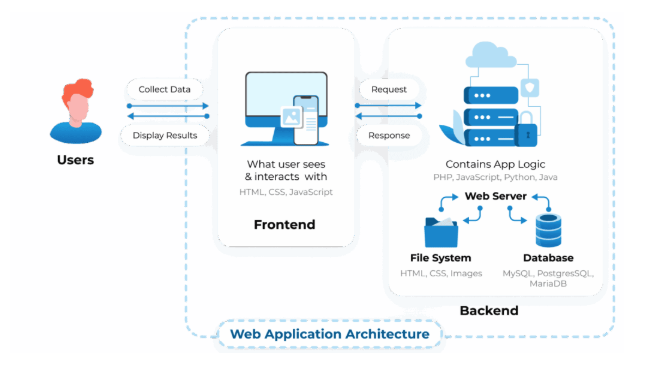
You don't have to be technical, but it helps to know how a basic app works
Interface
The pages, forms, and buttons the user interacts with
Logic & state
What happens when the user acts, and what the app tracks in the moment
Data and storage
What the app saves so it's there next session
Auth
Sign-in so users see only their own data (skip for V1)
Naming these layers lets you point AI at the right one. "Save it to storage and show it on the dashboard" is buildable. "Make it save my stuff" is not.
4 of 4
Describe the outcome, not the build
Prescriptive
Tell AI how to build it
"Use React hooks"
"Store in localStorage"
"Make buttons rounded"
Outcome-driven
Describe what "done" looks like
"Submissions persist across sessions"
"The list loads when I open the app"
"Anyone could tell which task is overdue at a glance"
You don't know what you don't know. Being over-prescriptive limits the build to your mental model. Instead, describe the end state and trust the AI to reach for it — then set guardrails around scope, risks, and what must not be wrong.
Your starting point
The problem you're solving
You came into this session with a problem from the previous one. It should already be filled in below — edit it if needed. Every prompt on this page builds on it.
Who has this problem, and what it costs them.
Saved ✓
You'll need
A Lovable account (we'll make one in Phase 1) and Claude Pro or Max open in another tab. Prompts are labeled with where to paste — Claude or Lovable.
Phase 1
Create a Lovable account
Lovable is a vibe-coding tool — you describe what you want, it builds a working web app. We'll use it to watch what AI does with a vague prompt, then what it does with a real spec.
1
Your discount code
Here is your code: COMM-GIRL-2391
It's valid for 40 uses and expires on the 24th of April 2026 (feel free to test the code before so you know how it works). Also have a look at our Hackathon Playbook for more resources and building tips.
2. If you don't have an account, click Get started → Create an account
3. If you have an account, go to Settings → Plans & Credits
4. Select Pro Plan 1 (100 credits). Make sure to choose the monthly plan
5. At checkout, enter your discount code
Heads up: if you already have a paid account, you'll need to create a new workspace.
Phase 2
Try the unspecified version
Here's the shortcut you always have: paste your problem straight into Lovable and iterate from whatever it builds. It works — but usually gets you further when you scope and spec first. Let's watch what the shortcut produces, so the "after" at the end has something to sit next to.
3
Start a Lovable project with just your problem
I want to feel the gap between "I have a problem" and "I have a useful tool" — before I learn how to close it.
Paste into Lovable
What you'll notice: it looks polished. It's probably not useful. Nothing specific to your situation, no clear inputs and outputs, no sense of who uses it or what the magical version would feel like. It's a sketch, not a tool. Keep the tab open — we'll compare against the specced version at the end.
Phase 3
Scope and spec it with Claude
Now we close the gap. One Claude conversation takes you from "I have a problem" to a spec Lovable can actually build from — concept, V1 cuts, walk through the parts of a web app, then written up as a spec. No copy-pasting between prompts. Claude keeps the thread.
You don't have to build these — but knowing what they're called lets you read what Claude proposes and push back when something's off. Claude will walk you through them by name: interface, logic & behavior, data & memory. Auth is a fourth layer we'll skip for V1.
Mindset · before you start
Describe the outcome, not the build
A spec is not a blueprint. The tempting move is to tell AI exactly how to build your app — the layout, the components, the data structures. But you don't know what you don't know. Being over-prescriptive limits AI to your mental model and caps the quality of what you get back.
Prescriptive
Dictate the build: tech, components, pixels, data shapes.
"Use a React modal with three tabs; store drafts as JSON in localStorage."
Outcome-driven
Describe what "done" looks like for the user.
"When I start a new brief, I can see my past three drafts and restore any of them with one click."
4
Walk through your app with Claude
I have a problem. I don't yet have a concept, a V1 cut, or a sense of what the parts of the app should do. I want to work through all of it in one conversation — without prescribing the build.
Step 4 prompt
Paste into Claude
Dictating works well for this. Don't rush through — the V1 cut and the layer walkthrough are where most of the value is. Let Claude push back when your answers are vague.
5
Turn the conversation into a spec
Everything's in the conversation. Now I need Claude to organize it into a format Lovable can act on — reshaping what we talked through, not inventing new content.
Before · your problem
Paste your problem above and it'll show up here.
→
After · your spec
· Who it's for
· The core flow
· Pages and sections
· Starting state
· What the app remembers
· Out of scope for V1
· Risks
· Open questions
Step 5 prompt · same Claude conversation
Paste into Claude(same chat)
Read what Claude produces. Edit freely — the spec is yours, not Claude's.